Get started in minutes
From zero to documented architecture in three simple steps.
Import or start fresh
Begin documenting your architecture by importing existing resources or starting with a blank canvas. Domain Compass adapts to your current workflow.
Import OpenAPI
Upload your Swagger or OpenAPI specs to automatically generate endpoint documentation.
Connect Repository
Link your GitHub, GitLab, or Bitbucket repo to keep documentation in sync with code.
Start Fresh
Create a new project from scratch using our templates or a blank canvas.
Document & design
Use our intuitive tools to capture your system's architecture. Create diagrams, document components, and define relationships between services.
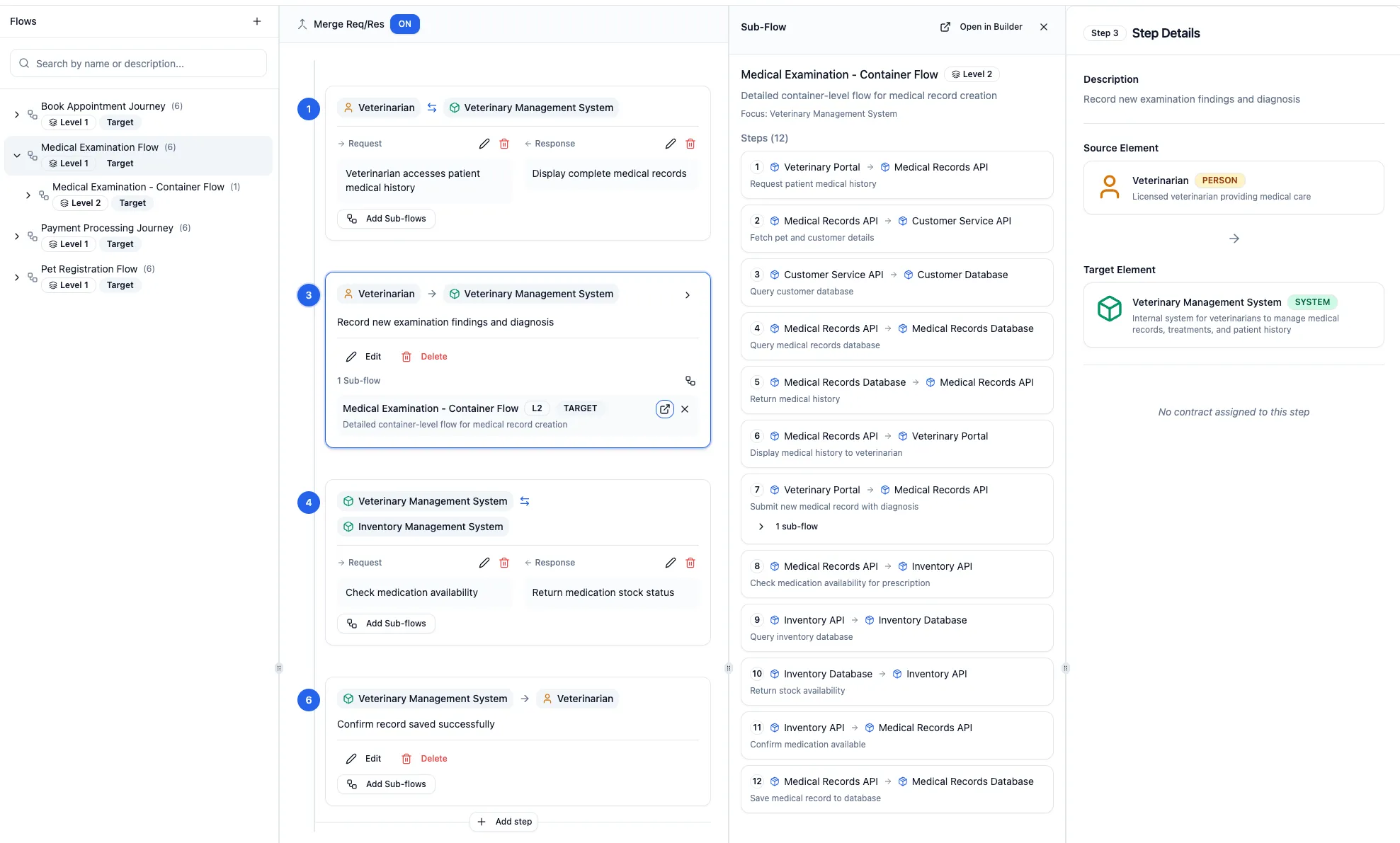
Share & collaborate
Invite your team to view, edit, and contribute to your architecture documentation. Keep everyone aligned with living documentation that evolves with your system.
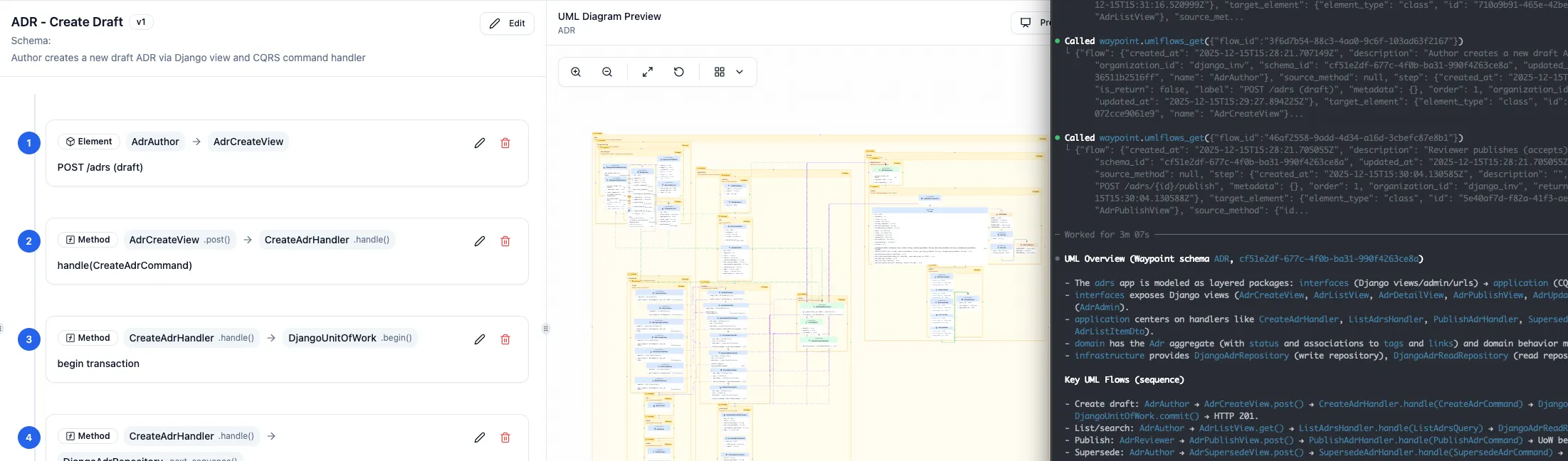
Supercharge your AI agents
Connect Domain Compass to AI coding assistants like Claude Code, Cursor, and Windsurf via MCP. Give your agents deep context about your architecture so they can write better code, faster.
Integrates with your workflow
Connect Domain Compass with the tools you already use.
Start documenting today
Join teams who trust Domain Compass for their architecture documentation.